
Attendance & Shift Scheduling
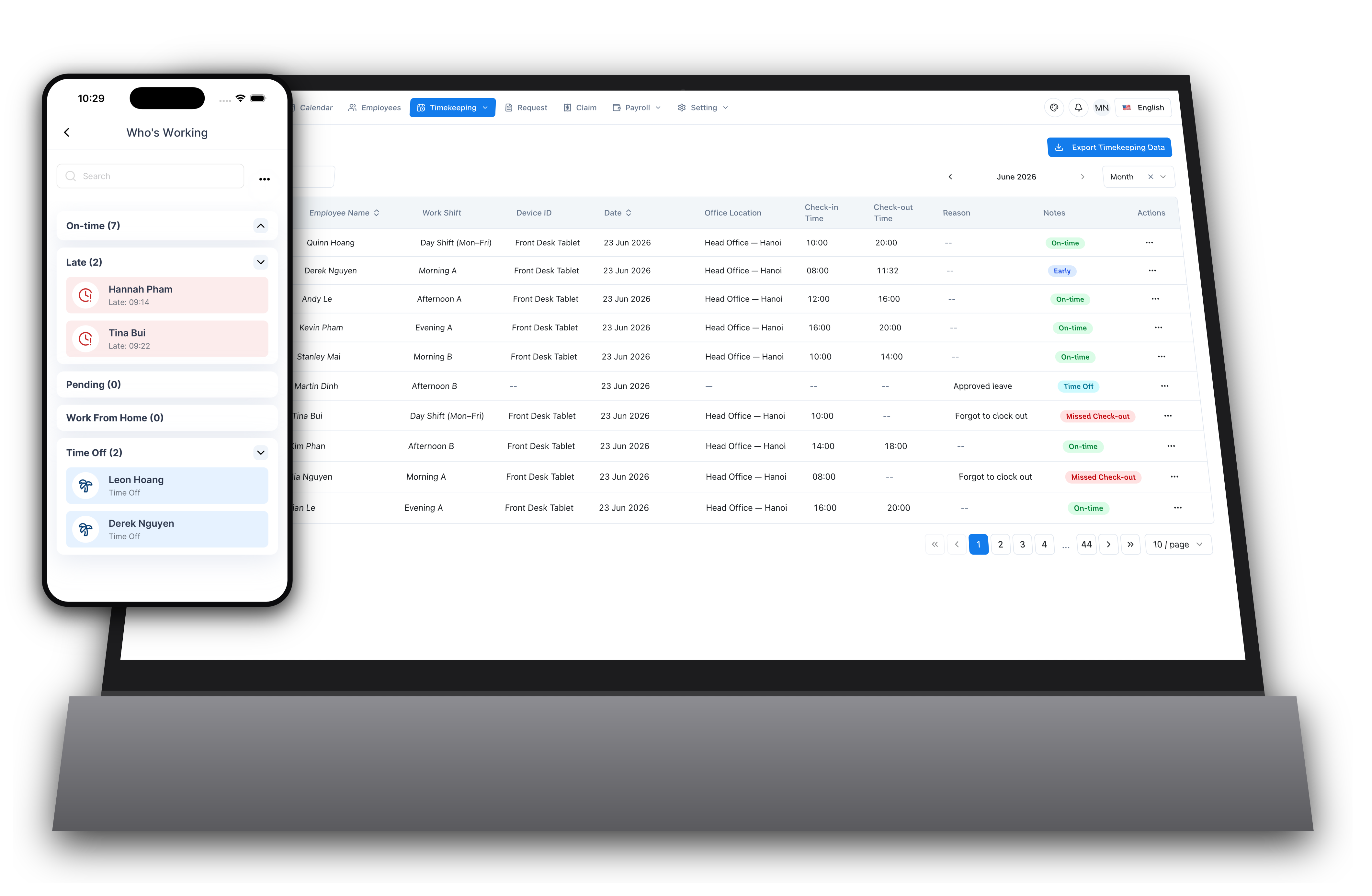
Record when employees start and end their workday—and plan who works which shift before the week begins. Replace manual timesheets and messy scheduling spreadsheets with GPS attendance and a visual roster builder, built for teams that work in shifts.
What this feature does
Attendance & Shift Scheduling helps you record working hours and plan shift rosters without spreadsheets or manual processes.
When should you use this feature?
- You are tracking employee hours in a shared Excel file and losing data or overwriting entries
- You plan shifts in spreadsheets and struggle with conflicts and last-minute swaps
- Your team works in rotating shifts and you re-plan the roster every week
- You spend time at month-end compiling attendance from chat messages or emails
- Employees forget to report their hours and you have to chase them
- You want to verify that field employees are actually at job sites
- You need accurate attendance and shift data for payroll calculation
Problems this feature helps solve
Excel attendance sheets get corrupted or overwritten
Data is stored securely in the cloud with automatic backups
No way to know who is in office right now
Real-time dashboard shows present, absent, and on-leave status
Employees forget to log hours
Mobile app reminders and simple one-tap check-in
Month-end attendance compilation takes hours
Automated reports generate instantly with date range filters
Can't verify if field staff are at assigned locations
GPS check-in shows location at time of clock-in
Building the weekly shift roster eats up hours every week
Copy last week, drag-and-drop shifts, and bulk-apply to many employees at once
Double-booked shifts and illegal rest gaps slip through
Conflicts and rest-gap breaches are flagged in real time before you publish
Shift swaps happen over chat and get lost
Employees request swaps and changes in-app, routed for approval and logged
How this fits into TalentHR
Attendance Tracking connects with other TalentHR features:
Request Management
When a leave request is approved, those dates automatically show as 'On Leave' in attendance records
Employee Records
Attendance is linked to each employee profile for complete work history
Calendar
Company holidays are reflected in attendance—employees are not expected to check in on public holidays
Mobile App
Employees can check in/out and view their published shift roster from the TalentHR mobile app
Payroll Preview
Worked hours and shifts flow straight into payroll estimates—no re-keying for payday
Frequently Asked Questions
Can employees check in from any location?
Yes. You can allow open check-in (any location) or restrict check-in to specific GPS coordinates for office or job site attendance.
What happens if an employee forgets to check out?
The system flags incomplete records. Managers can manually add or adjust check-out times with an audit trail.
Can I see attendance history for past months?
Yes. All attendance data is stored and searchable. You can filter by date range, employee, or department.
Does it work offline?
The mobile app can record check-in/out times offline. Data syncs when the device reconnects to the internet.
Is GPS mandatory for check-in?
No. GPS is optional. You can enable it for specific employee groups (e.g., field staff) and disable it for others.
Can I export attendance data for payroll?
Yes. Export to Excel or CSV with one click. Reports include total hours, late arrivals, and overtime.
How does the shift roster builder work?
Plan the week on a grid of employees by day. Drag shifts onto cells, copy last week, bulk-apply a shift to a selection, or import from Excel. Edits stay in a draft until you publish to the team.
What happens when two shifts conflict?
The builder flags overlapping shifts, rest gaps below the legal minimum, and duplicate primary shifts in real time, so you fix problems before the roster is published.
Can employees swap shifts?
Yes. Employees can request a shift change or swap a shift with a colleague. Swaps need the colleague to accept, and changes can require manager approval before they take effect.